|
Resize floating windows
|
|
Prev
|
Next
|
Every floating window may have its own
size.
For example, if countdown text is to small for you, you can simply enlarge the
countdown floating window using countdown menu:
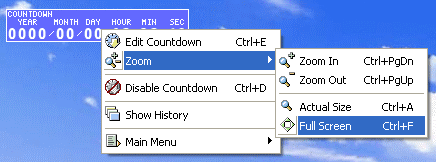
How to change a floating window size using floating window menu:
Zoom - use it to resize a floating window size
1. Zoom In - use it to enlarge a floating window size
2. Zoom Out - use it to decrease a floating window size
3. Actual Size - restores the actual a floating window size
4. Full Screen - use it to set a floating window size to the screen size
(press Esc to get back to the previous size of a floating window). This feature
is very useful for live-events (conferences, presentations etc.) - you can show
on a big screen how long is left till coffee break/luncheon or you can use stopwatch/timer
in timing speakers to keep your conference/presentation within the time allowed.
How to change a floating window size using mouse:
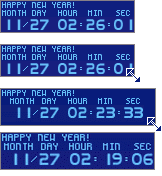
Just point mouse cursor to the right-bottom corner of the floating window, you
want to resize, and change the size by dragging the corner:
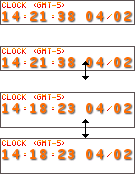
If you point the mouse cursor to the right or bottom border of a floating window
- you can change the size without zooming (it means, you can enlarge floating
window size but keep text size without changes):
| 


