| |
TimeLeft - Auction Watch - Firefox
Quick Add Button for Mozilla Firefox
TimeLeft can integrate Quick Add Button Into your Mozilla Firefox toolbar, so you can open auctions in your browser and add them into TimeLeft auction list quickly just by pressing Quick Add button, or selecting menu Tools | Add to TimeLeft Auction Watch.
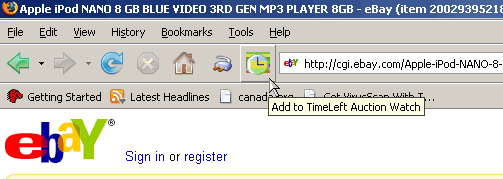
Download and install Firefox extension
Usage instructions:
By default TimeLeft will have only menu item Tools | Add to TimeLeft Auction Watch. If you wish to add Toolbar button - you can add it in the "Customize Toolbar" window.
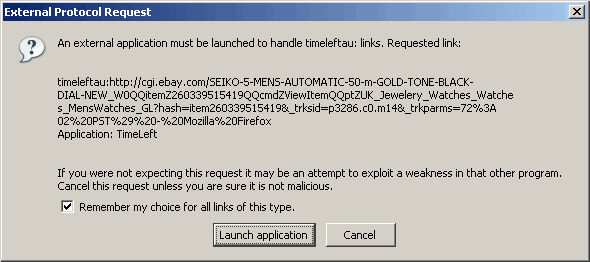
If you get "External Protocol Request" window when adding auction (TimeLeft protocol starts with timeleftau:) - select "Remember my choice for all links of that type" and click "Launch application".
|
|
|
|
| TimeLeft Free |

TimeLeft FREE never expires!
|
| TimeLeft Deluxe |
Get even more features!

|
| Our Clients
... |

|
|